
Most broadcast programs start the same way.
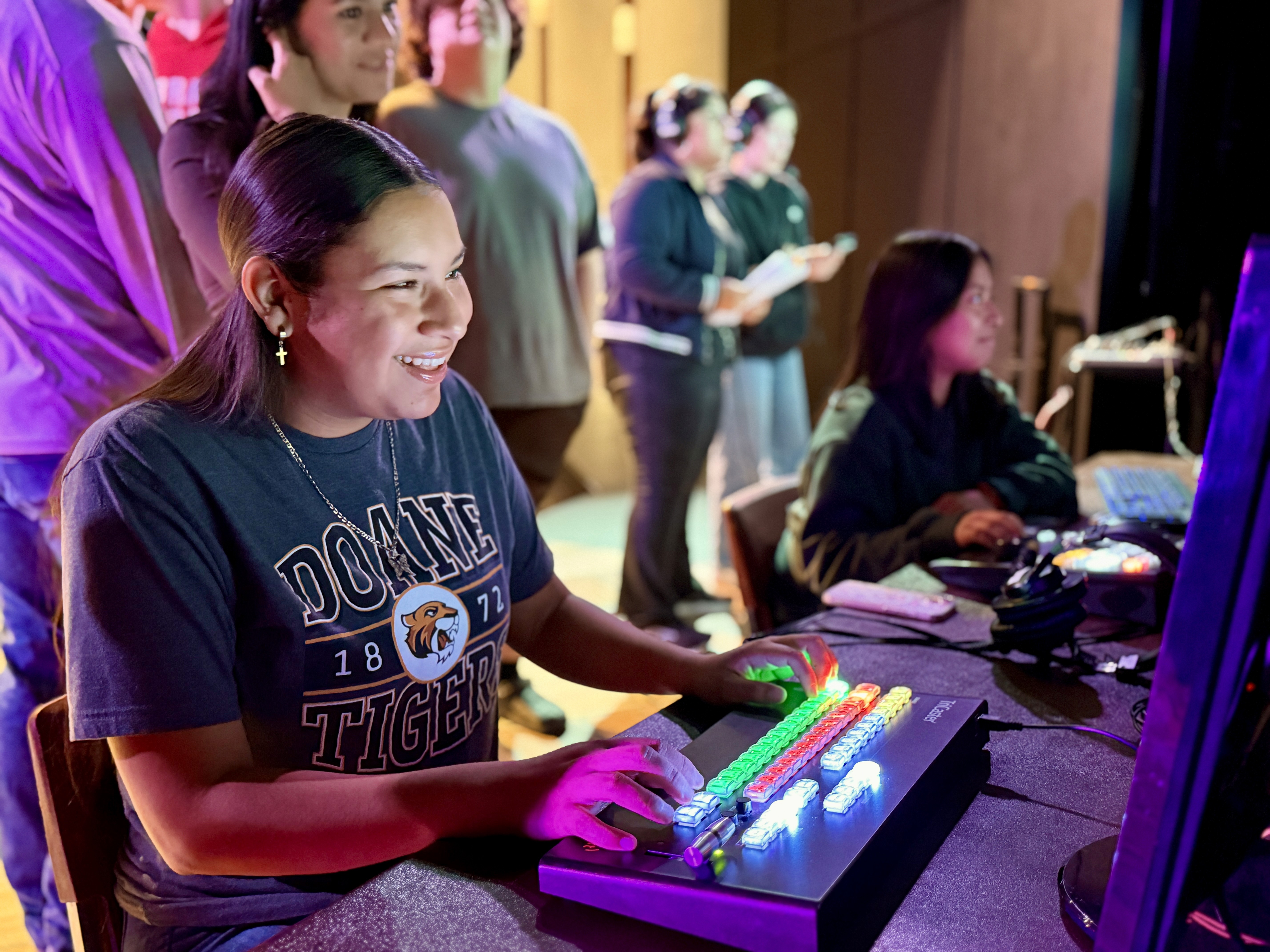
A teacher raises their hand. They say yes to streaming games. They figure it out on the fly. And within a few months, they're doing 80% of the work themselves while students stand around waiting to be told what to do.
That's not a bad teacher. That's a missing system.
This guide will show you how to start a student broadcast program the right way. Not with more willpower. With a structure that lets students own the work from day one.
Before You Start: Get Clear on Why
Every great broadcast program starts with a clear purpose. Not "we want to stream games." Something deeper.
Ask yourself:
What do you want students to get out of this? Real-world skills. Confidence. Accountability. A reason to show up.
Who is your audience? Parents across the country? Local fans? Other students? Knowing your audience shapes everything from tone to format to how students prepare.
What does success look like in year one? One weekly stream? Every home game? A morning show?
Your purpose becomes the filter for every decision. When someone asks, "Can we add this?" you'll have an answer. Stay focused. Programs that try to do everything burn out fast.
Step 1: Start With What You Have
You don't need a $50,000 gear package to start.
Take stock of what's already in your building. A laptop. A phone with a decent camera. A decent internet connection. That's enough to get started.
The goal right now isn't production quality. It's a proof of concept. Get one stream out the door. Prove students can do it. Then build from there.
Here's the gear minimum to go live:
Camera: A smartphone or basic webcam works. Quality improves with time and budget.
Audio: A basic USB microphone. Bad audio kills a broadcast faster than bad video.
Streaming platform: YouTube Live or a school Striv channel. Free to start.
Internet: A wired Ethernet connection beats WiFi every time for live events.
That's it. You can add switchers, graphics, multiple cameras, and commentary setups later. Start simple.
Step 2: Define Student Roles Before the First Broadcast
This is where most programs fail.
Teachers set up the gear, troubleshoot tech, direct the stream, and run the scoreboard. Students watch. Then when the teacher is gone, nothing runs.
The fix is role clarity. Every student needs a job they own. Not a task. A role.
Here are the core roles to fill first:
Producer: Runs the show. Makes calls. Keeps things on schedule. This is your student leader.
Camera Operator: Owns their shot. Knows where to be before the play happens.
Graphics Operator: Controls lower-thirds, scoreboards, and on-screen text. Must know the system cold.
Technical Director: Manages the stream from the switcher. Calls transitions.
Play-by-Play / Color Analyst: The voice of the broadcast. Prepares notes before game day.
Each role needs a written job description. Not a paragraph. A checklist. What does this person do before the event? During? After?
When students have clear roles, they stop waiting for instructions. They own their job. That's the shift you're after.
Step 3: Build Your Production Calendar
Game-day chaos is almost always a production problem.
When teachers scramble on Friday, it's because planning didn't start on Monday. Prep needs to happen across the whole week, not the hour before tip-off.
Here's a simple weekly structure:
Monday: Review the schedule. Confirm assignments. Are all roles filled? Is the equipment charged and ready?
Tuesday/Wednesday: Practice. Run a mock broadcast. Test audio levels. Review graphics templates. Work through scenarios.
Thursday: Final prep. Run the pre-show checklist. Confirm students know their roles.
Friday (game day): Students arrive knowing exactly what to do. You're a supervisor, not a firefighter.
When game day is just another step in a planned week, the chaos goes away. It doesn't disappear because students have gotten better. It disappears because the system has gotten better.
Step 4: Set a Standard, Not Just Rules
The best broadcast programs aren't held together by rules. They're held together by standards.
There's a difference.
Rules tell students what they can't do. Standards tell students what they're representing.
When students understand they're broadcasting to real audiences, representing their school, and building a product that goes out to the public, the quality of their work changes. Intrinsic motivation kicks in where compliance used to be.
Set your standard early. Name it. Put it on the wall if you need to.
"We broadcast like professionals. We prep like professionals. We represent our school and our community."
Then enforce it. Not with discipline — with expectation. Have hard conversations when work doesn't meet the standard. Celebrate publicly when it does.
Step 5: Build for the Year After This One
Most broadcast programs restart every year.
Seniors graduate. Institutional knowledge walks out with them. The next class starts from zero.
This is the silent killer of student media programs. And it's almost entirely preventable.
You need a system for passing knowledge down.
Document everything. Every role. Every checklist. Every workflow. It lives in a shared place, not in someone's memory or a personal Google Doc.
Train juniors to shadow seniors. Every senior operator should be training a replacement. That's part of the job.
Create program history. Archive your broadcasts. Build a culture that new students want to inherit.
When your program has structure — documented roles, repeatable workflows, shared systems — it survives turnover. It scales instead of surviving.
The Honest Truth About Starting
Starting a broadcast program is hard. There will be bad broadcasts. Equipment will fail. Students will no-show. Streams will drop.
That's normal. That's the process.
What separates programs that grow from programs that collapse isn't talent. It's systems. Programs with clear roles, consistent prep, and a shared standard get better every season. Programs running on memory and willpower burn out.
The good news: you don't have to build this from scratch.
What Broadcast Ops Does
Broadcast Ops is built for exactly this moment.
It's the operating system for student-led broadcast programs. It replaces the spreadsheets, Google Docs, texts, and memory that most programs run on.
Inside Broadcast Ops, students have clear roles and checklists. Prep happens before game day. Nothing falls through the cracks when the teacher isn't in the room.
Teachers get their time back. Students take real ownership. Programs scale instead of surviving.
Quick Reference: Starting Checklist
Use this to get your first broadcast off the ground.
✓ Define your program's purpose and audience
✓ Inventory existing gear — use what you have
✓ Set up a free streaming platform (YouTube Live or Striv)
✓ Write role descriptions for at least 4 student positions
✓ Build a weekly prep calendar
✓ Run a practice broadcast before going live
✓ Set your program standard out loud
✓ Document everything from day one
Want the full starter kit? Download the free Broadcast Education Starter Kit — templates, checklists, and role guides to get your program up and running.
Download the Broadcast Education Starter Kit →
About Striv Education
Striv Education helps K-12 teachers build sustainable, student-led broadcast and media programs. Through Broadcast Ops software, the Future Ready Educators community, and the Broadcast Ops Playbook podcast, we give teachers the systems to get out of the weeds and let students own the work.